Optimum Stream Box Review
Optimum's streaming-style cable box — separates the cable receiver from the modem/router function of Altice One.

Our Take
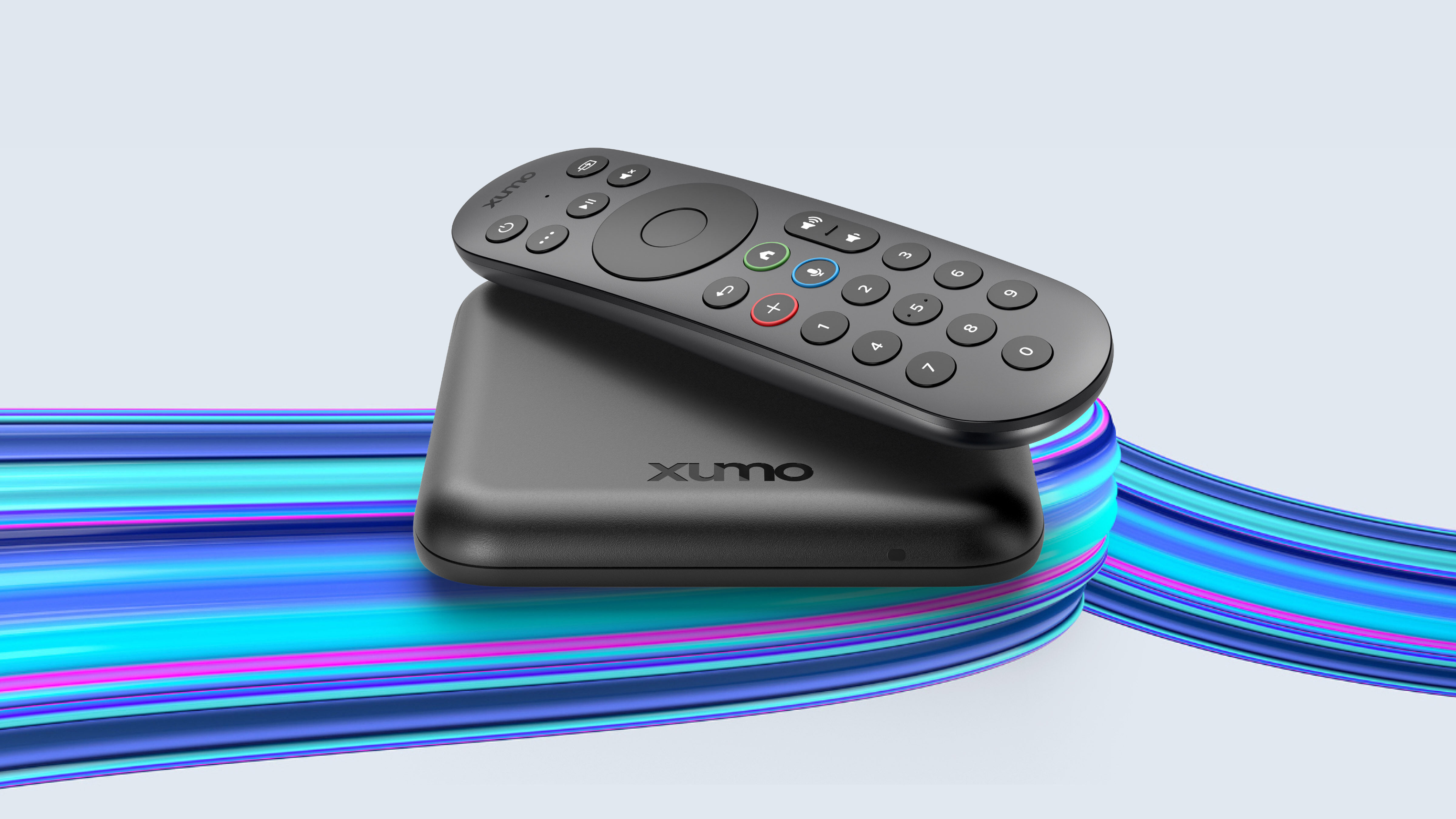
Optimum Stream Box is Optimum's streaming-style cable receiver — the answer to the all-in-one risk that defines Altice One. The Stream Box is a small Wi-Fi cable receiver, and it doesn't bundle the modem/router function. When the Stream Box fails or needs a swap, your internet and Wi-Fi stay up — Optimum delivers internet separately through whatever gateway you already have. That's the architectural fix the platform needed.
The platform itself is solid. Built-in streaming apps run natively (Netflix, Disney+, Max, Hulu, Prime, Apple TV+, YouTube). The voice remote works. Interface is faster than Altice One's. Picture quality is good.
The trade-offs are the same as every streaming-cable box. Wi-Fi delivery instead of coax. Smaller cloud DVR. Bundle channel counts that are narrower than Altice One's full package. Verify the bundle before signing — especially regional sports.
Whether Stream Box is right for you depends on whether you'd benefit from separating cable from modem/router, your bundle vs your channel needs, and your Wi-Fi reliability.
The biggest daily frustration — bundle channel-count vs Altice One
The Stream Box bundle is narrower than Altice One's full TV lineup. Channels most commonly cut are deeper cable tiers and some regional sports. Verify before switching — pull your DVR history, compare to the bundle channel list.
When to switch to Optimum Stream Box
You've already had an Altice One failure. Stream Box's separated architecture is the upgrade you wanted.
You want to run your own mesh Wi-Fi. Stream Box doesn't bundle Wi-Fi, so you can run eero or Orbi without conflict.
You're a new Optimum TV customer. Stream Box is the modern path.
You have two or more TVs. Per-box rentals on Stream Box are cheaper than Altice One Mini fees on multi-TV setups in many bundles.
You use streaming apps daily. The integration is real.
Your Wi-Fi is robust. Plays to Stream Box's strengths.
When to skip Stream Box
The Stream bundle drops channels you watch. Verify.
Your Wi-Fi has dead zones at the TV. Wi-Fi delivery needs Wi-Fi reliability.
You depend on local sports channels (YES, MSG, NBC Sports, etc.) Stream doesn't carry. Coverage gap.
You're a heavy DVR user (100+ hours/month). Cloud DVR is smaller.
Key features (and what they actually mean for you)
The box — small, Wi-Fi, modem-separated
Small Optimum-branded streaming cable receiver. HDMI out, Wi-Fi or Ethernet for connectivity. Crucially, the modem/router function is NOT bundled — Optimum delivers internet through a separate gateway. That separation eliminates the all-in-one failure mode of Altice One.
🧠 Why this matters: when the Stream Box fails, your internet stays up. When Altice One fails, you lose TV + Internet + Wi-Fi simultaneously.
The remote — Optimum voice remote, RF
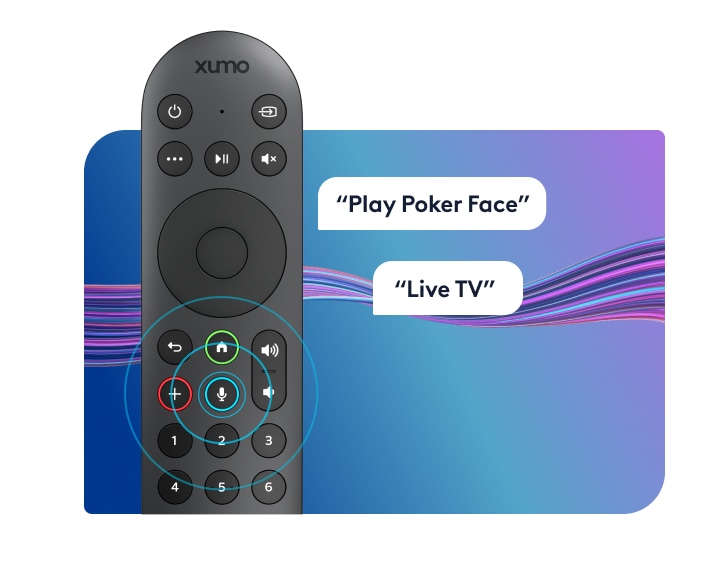
Clean voice remote. ~15 buttons. RF for box, IR for TV control. Voice search across cable and built-in apps.
📡 Why RF beats IR for cable boxes: no line-of-sight needed. The Stream Box can sit behind the TV.
Channel lineup — Optimum-specific
Optimum Stream Box bundles range from ~125 to ~250 channels depending on tier. Major broadcast and cable networks, local sports channels (YES, MSG, NBC Sports, etc.) — verify per market.
🏈 Why this matters: Optimum's strong Northeast local sports coverage carries through to Stream Box bundles for the most part, but the deeper specialty tiers drop. Verify.
Cloud DVR — smaller than Altice One
50–100 hours of cloud DVR depending on bundle. Multi-room playback via the Optimum app.
⚠️ The honest caveat: retention limits apply. Heavy DVR users may feel constrained.
Built-in streaming apps — Optimum Stream Box's real edge
Built in:
- ✓ Netflix
- ✓ Prime Video
- ✓ Disney+
- ✓ Hulu
- ✓ Max (HBO)
- ✓ Apple TV+
- ✓ YouTube
- ✓ Peacock, Paramount+, Pluto TV, and more
NOT built in:
- ✗ YouTube TV
- ✗ Sling TV
🎮 What this means in practice: Stream Box's app integration is a real upgrade vs Altice One. All major streamers on one remote, one HDMI input.
The remote — modern by cable standards
| Remote feature | Optimum Stream Remote | Roku Voice Remote Pro 2 | Apple Siri Remote |
|---|---|---|---|
| RF / Bluetooth — hide the box | ✓ RF | ✓ Bluetooth | ✓ Bluetooth |
| Voice search across channels and apps | ✓ Excellent | ✓ "Hey Roku" hands-free | ✓ Siri (press to talk) |
| Controls TV power, volume, input | ✓ IR | ✓ Most TVs | ✓ Built-in IR + CEC |
| Headphone jack on remote | ✗ | ✓ | ✗ |
| Lost-remote finder | ✗ | ✓ | ✗ |
| Backlit buttons | ✗ | ✓ | ✗ |
| Button count | ~15 | ~12 | ~7 |
| Battery / charging | 2× AAA (~6 mo) | Rechargeable USB-C | Built-in rechargeable, USB-C |
Clean modern cable-streaming remote. Functional, not feature-rich.
Closed captions, parental controls, and accessibility
Solid. Captions customizable. ADA-compliant. Parental controls PIN-locked. Audio descriptions available.
Box rental costs (you cannot buy them)
Rental-only. First box typically included free. Additional boxes ~$5–$10/month.
| Per box | Per year | 5-year cost | |
|---|---|---|---|
| First Stream Box | Included free | $0 | $0 |
| Each additional box | ~$5–$10/month | $60–$120 | $300–$600 |
| Typical 2-TV setup | ~$5–$10/month | $60–$120 | $300–$600 |
| Typical 4-TV setup | ~$15–$30/month | $180–$360 | $900–$1,800 |
💡 The math that actually matters: Stream Box's additional-box pricing is roughly half what Altice One Minis cost. Plus you eliminate the gateway fee (since the modem function is separated). Multi-TV households save meaningfully.
The three real options compared
Numbers below are for a typical two-TV setup on Gigabit Internet:
| Item | Keep Altice One | Switch to Optimum Stream Box | Cut TV — keep Internet only |
|---|---|---|---|
| Internet | $80/mo | $80/mo | $80/mo |
| TV service | $80/mo | $70/mo | — |
| Box rental (2 TVs) | $20/mo (main + Mini) | $5/mo (1st free + 1) | — |
| Fees & taxes | ~$18/mo | ~$10/mo | ~$3/mo |
| Replacement service | — | — | $82.99/mo (YouTube TV) |
| Monthly total | ~$198/mo | ~$165/mo | ~$166/mo |
| Channel count | 140+ | 125+ | 100+ (YouTube TV) |
| Local sports channels | Full | Mostly | Usually missing |
| DVR | 60–150 hr cloud | 50–100 hr cloud | Unlimited cloud |
| Reliability | All-in-one risk | Wi-Fi dependent (cable only) | Wi-Fi + service dependent |
| Remote / inputs | One remote, one input | One remote, one input | One remote, one input |
| Service calls | Few per year, high impact | Rare, lower impact | Rare |
Stream Box is cheaper than Altice One AND eliminates the all-in-one failure risk. Cord-cutting is similar on cost but trades full channel coverage for cloud DVR.
What's missing
Full channel parity with Altice One. Bundle is smaller.
Coax-grade reliability. Wi-Fi delivery.
Cloud DVR storage matching legacy plans. Smaller cap.
Purchase option. Rental-only.
Who this is best for
Best for households who've already experienced Altice One failures. The separation is the fix.
Best for new Optimum TV customers. Modern path.
Best for households running their own mesh Wi-Fi. Stream Box lets your mesh be the mesh.
For everyone else — sports households depending on channels Stream doesn't carry, marginal Wi-Fi homes, heavy DVR users — Altice One or YouTube TV is worth real consideration.
Prices vary by market. The best way to see exactly what you'd pay across all three options is to run the quiz with your ZIP code — we'll show you real numbers for your address.
More photos
Where to rent
Boxes are rental-only — you cannot purchase them. Rate is per box, per month, billed by Verizon as part of your service.
Setup tips from a pro installer 8 tips · click to expand
- Audit channel lineup before signing Optimum Stream bundles vary by market. Some bundles drop channels traditional Optimum TV carries. Verify before switching.
- Hardwire if you can Stream Box has Ethernet. Use it for the main TV. Wi-Fi is fine for secondaries.
- Activate built-in streaming apps day one Netflix, Disney+, Max, Hulu, Prime, Apple TV+, YouTube run as native apps. Sign in to what you already pay for.
- Configure cloud DVR early Cloud DVR storage is smaller than Altice One's. Set up record priorities on install day.
- Pair the voice remote correctly Follow on-screen pairing prompts during install.
- Run your own mesh Wi-Fi Stream Box separates cable from modem/router. If you've been using Altice One's built-in Wi-Fi, Stream Box's modular architecture lets you bring a proper eero/Orbi mesh instead.
- Adjust audio for soundbar Settings → Audio → Pass-through for Dolby/DTS.
- Know how to call retention Optimum pricing is moderately negotiable, especially in Fios overlap markets. Mention competing offers.